


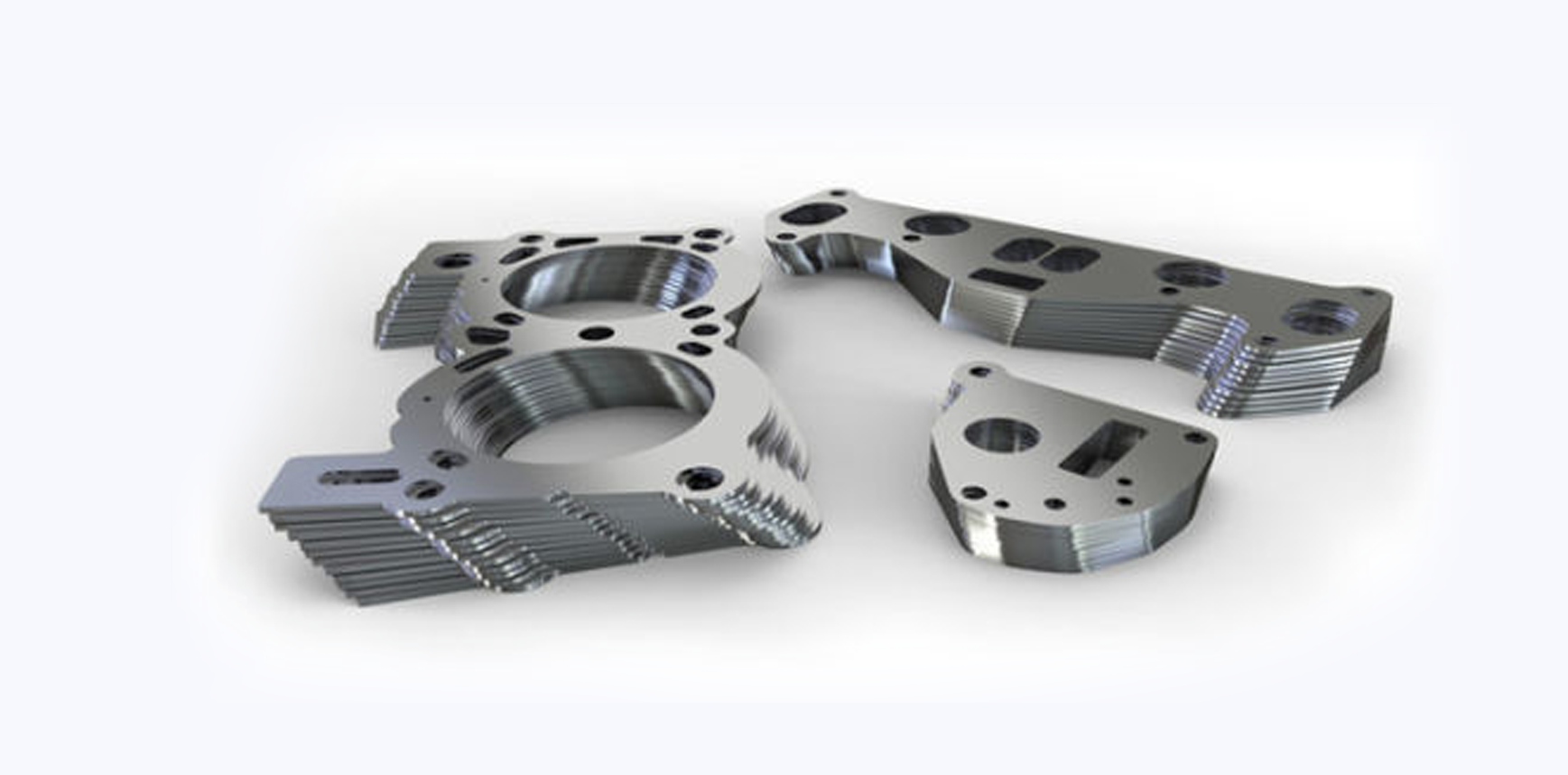
Design Guidelines
for Cutting Files
For the fastest and most efficient service please ensure your files meet our guidelines.
Our services are designed to be simple and fast. Understanding some basic rules about our services can help you streamline the processing of your order and the cutting process.


Supported File Formats
For laser cutting we accept vector files. Preferably .dxf and .dwg, but we are constantly working on updating our list. Check-in regularly for updates.
Getting Files Ready
To ensure that we get your quote to you fast and effortlessly keep the following in mind:
File Content
Be sure to remove any instructions, dimensions, notes, borders, and other unused objects from your file. Please only send us the laser-cut-path on your file. Any other details, such as quantities, can be noted on your order.
to show you a price instantly.
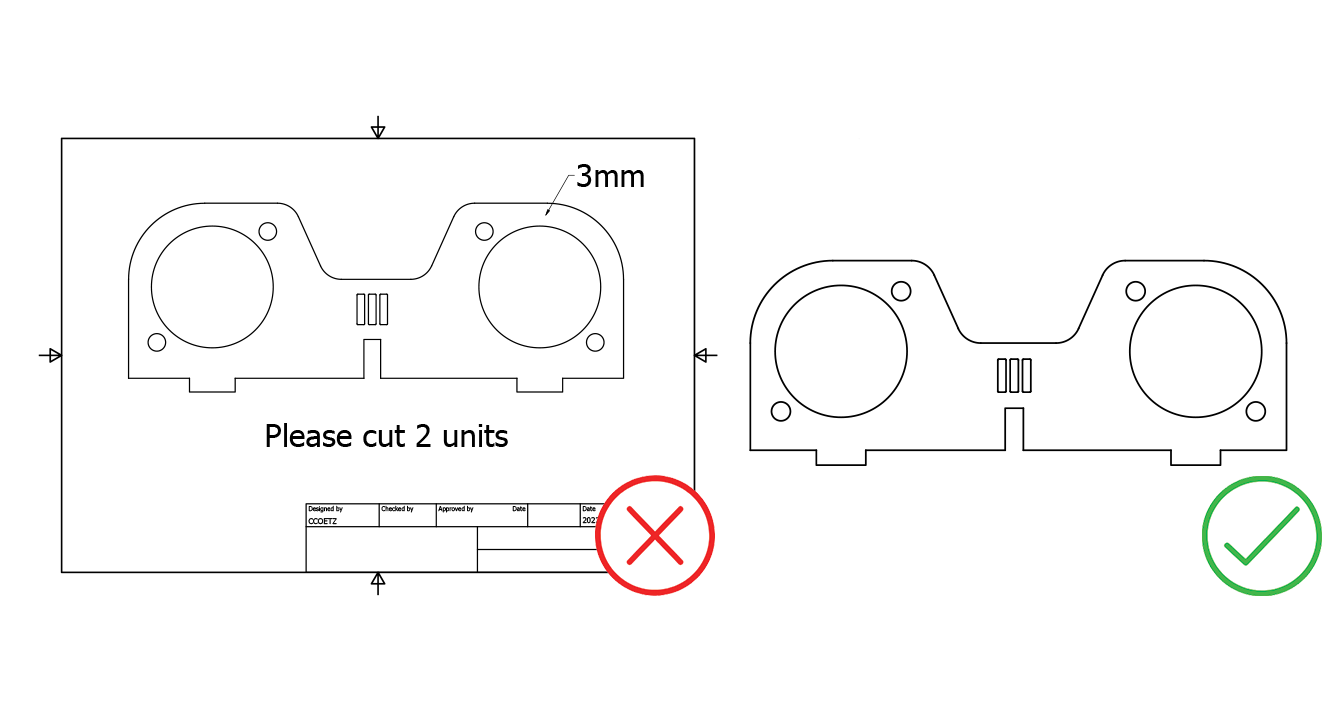
One part per file
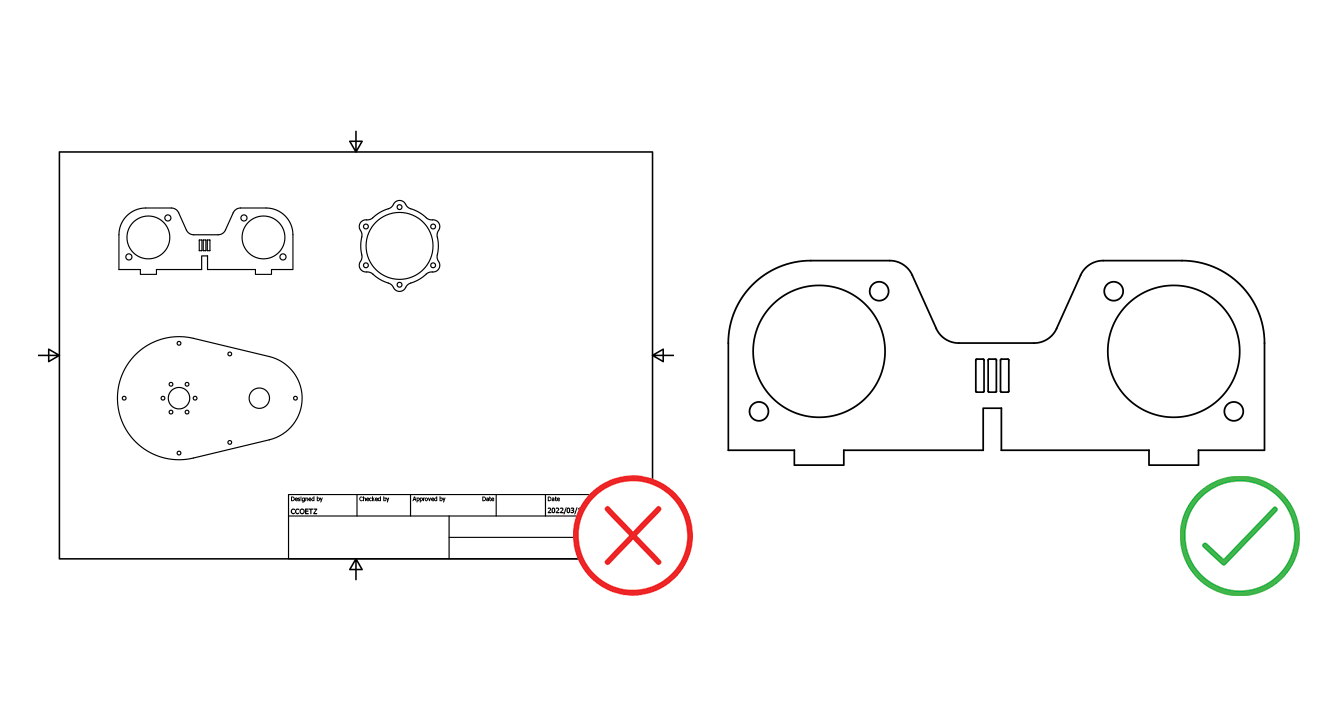
We know it can seem tempting to add more than one part per file, but for us the task of preparing your files becomes more time consuming. Please ensure that you only have one part per file.
Scale and Dimentions
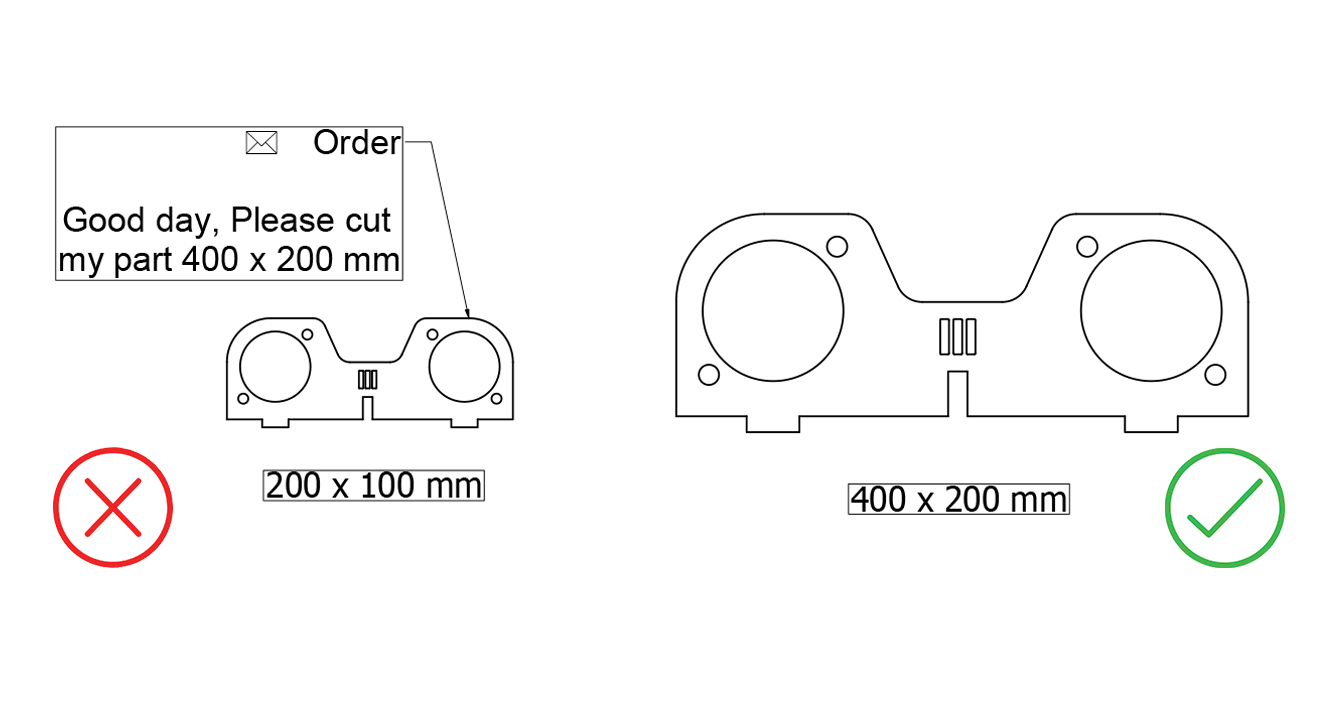
Send us your files at the exact scale you want them cut (1:1). No adjustments will be made based on written dimensions in the drawing.
When designing, please use mm.
Open Points and Intersections
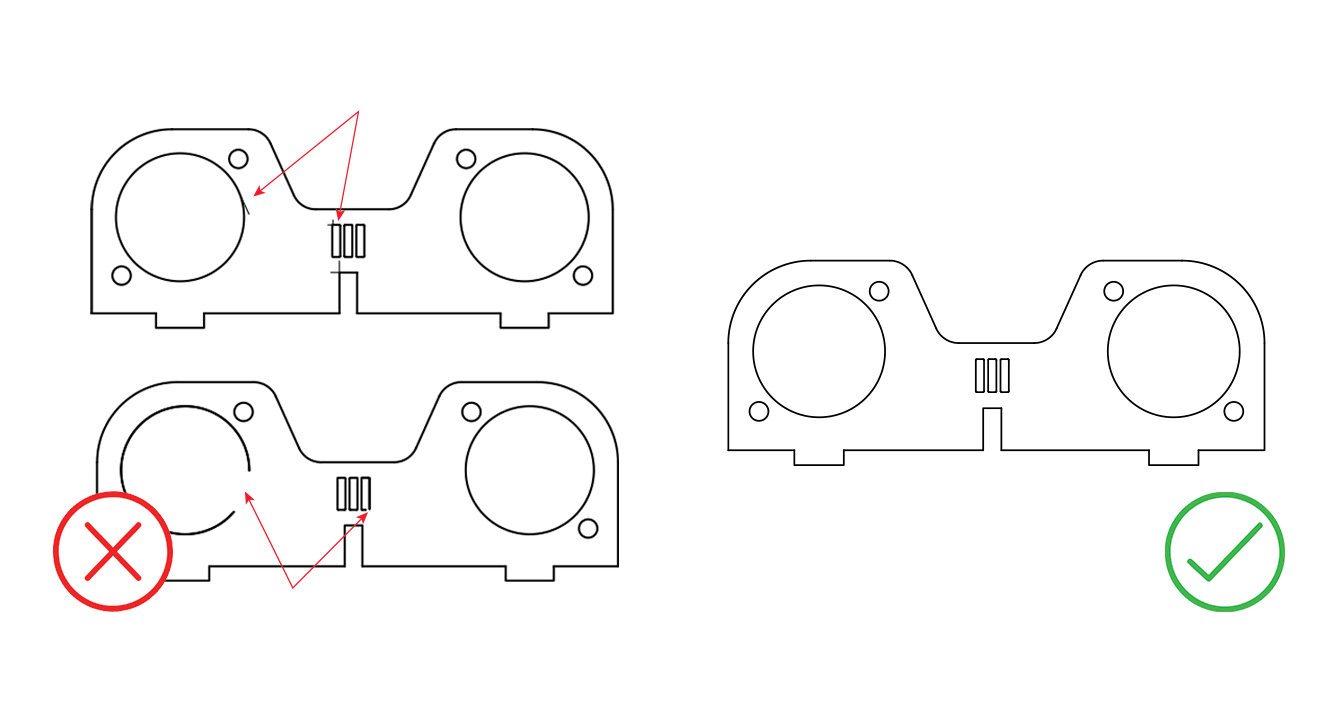
A part cannot be manufactured correctly if the line that composes the contour in your document is not closed. It is easy to find these problems in your art by viewing it in the Outline or Wireframe modes in your design software.
Bridges and Text
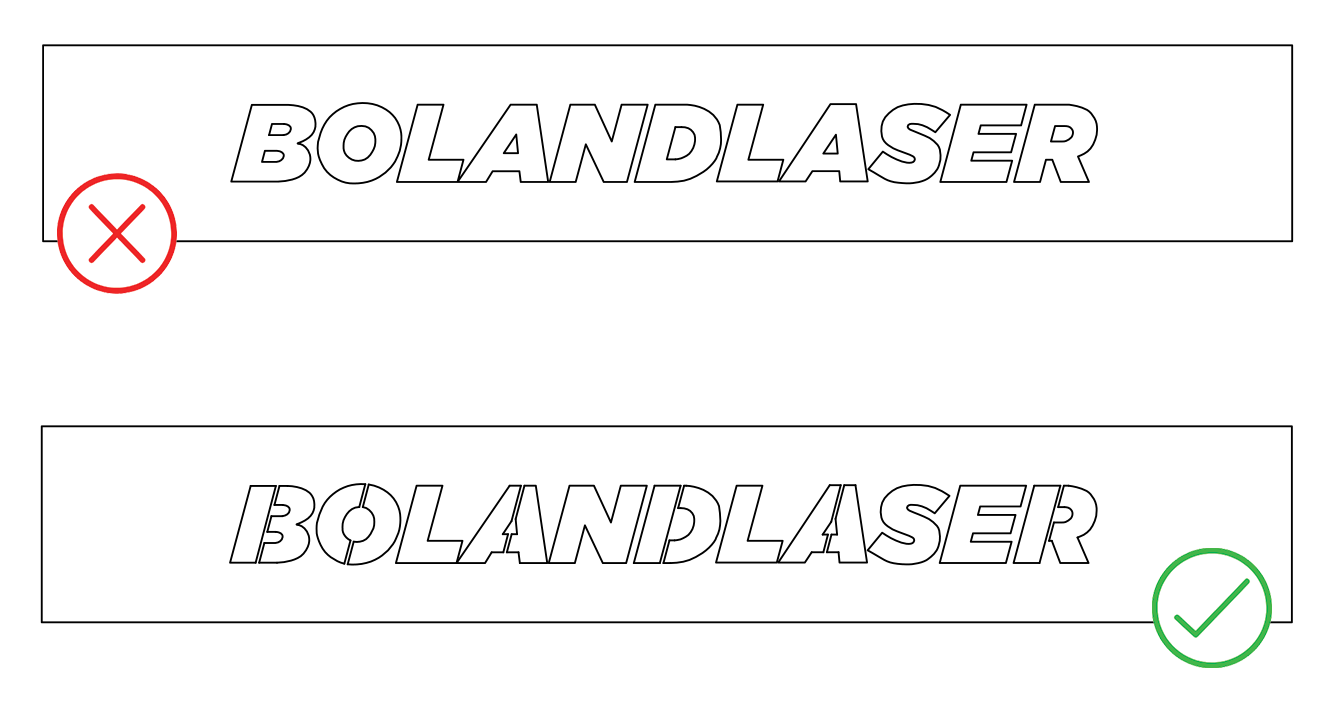
When using text in your artwork, remember to add bridges to support the inner parts of the letter. Also convert all text to outlines.
Design Software
A part cannot be manufactured correctly if the line that composes the contour in your document is not closed. It is easy to find these problems in your art by viewing it in the Outline or Wireframe modes in your design software.